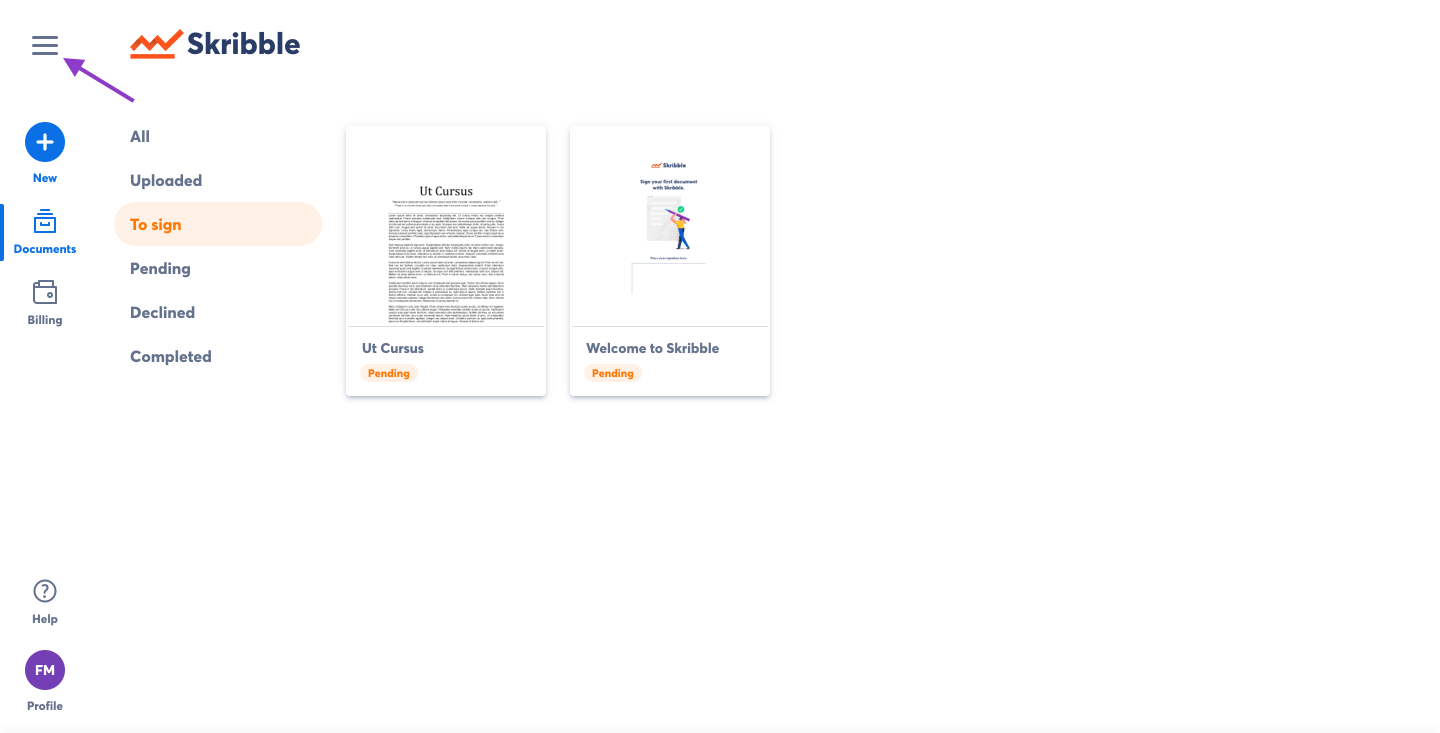
- Click the menu button in the upper-left of the Skribble dashboard
 |
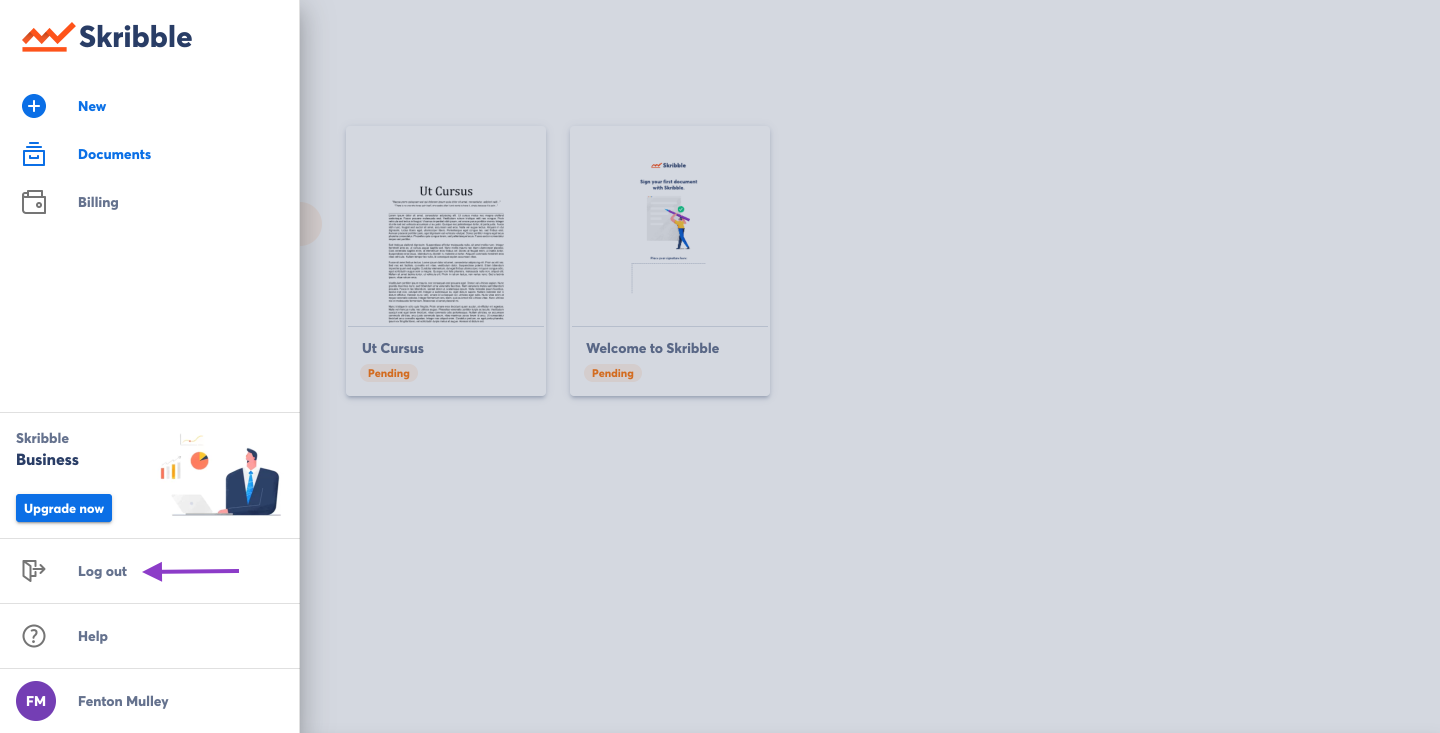
- Click Log out
 |
Alternatively, you can log out of your account from your Skribble profile.
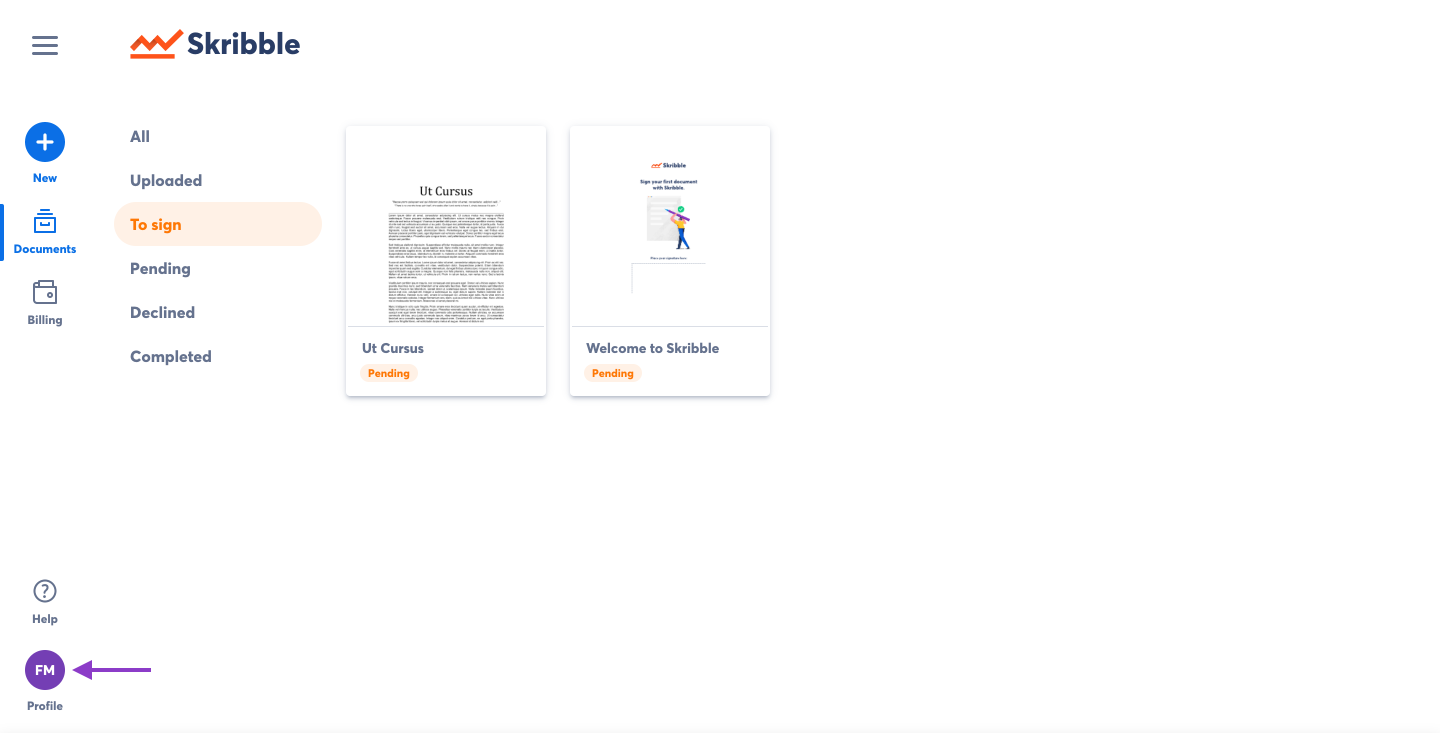
- Click Profile
 |
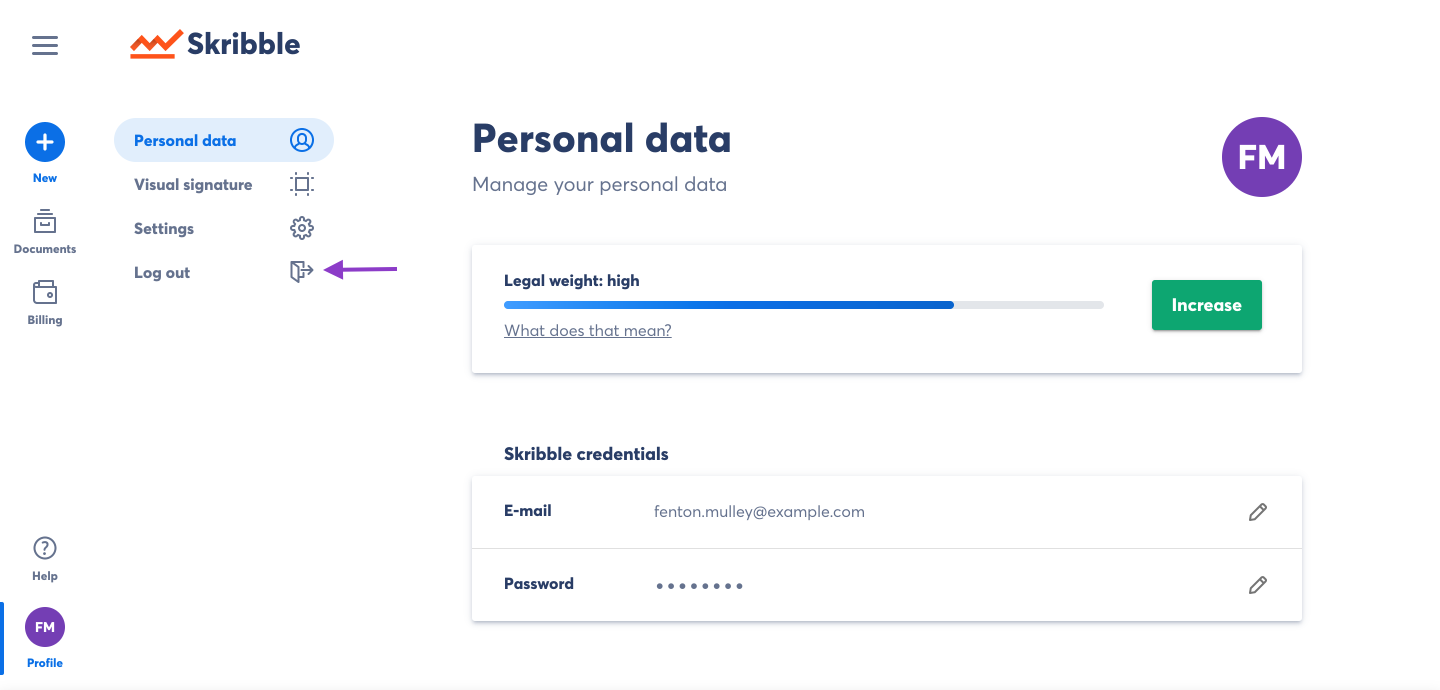
- Click Log out
 |
![Skribble-Logo.png]](https://help.skribble.com/hs-fs/hubfs/Skribble-Logo.png?height=40&name=Skribble-Logo.png)
|
|
Alternatively, you can log out of your account from your Skribble profile.
|
|